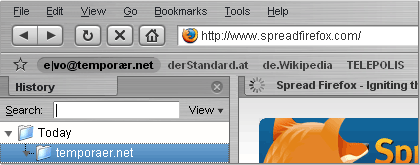
Brushed A Brushed and Polished Browser Interface.
Brushed A Brushed and Polished Browser Interface.
The world around is colorful enough?
You prefer working (to browse the web means working) in strict environments?
Perhaps this theme for Mozilla Firefox (0.9 - 1.6) is what
you were looking for:
2006-01-07: Release of version 0.9.9.7. It should also be available to users at UMO within a few days. Till that get it on this page.
2005-10-20: Version 0.9.9.6 is finished! It should be available to users at UMO within one day. Till that get it on this page.
2005-10-10: Brushed is mentioned in the article The power user's guide to Firefox by Joe Kissel on November's MacWorld!
Other news on Brushed and my work can be found at my blog or at version history.
The name comes from a visual theme for Mac OS X by Max Rudberg, as well as some of the graphics and the overall appearance of this theme are inspired by his work.
It took quite a lot of time until I've released the first version of my theme. I started to work on themes back in Firebird 0.6 times; I tried to improve "Rhapsodized" to my wishes. The theme I based my work for Brushed on was one (I think SAF-8) of Ken Lynch's aka lynchknot back in version 0.7 days, although I completely began from scratch by Firefox 0.8.
The main reason that it took such a long time was, that I tried to provide a "feature-complete" theme at small file size, where none of the visible problems that I disliked in many of the themes available (above all at pre-1.0 times) existed.
Thanks to cheeaun and lucX (for their inspiring work), Sailfish and many others over at mozillaZine theme forum.
Attention Mac-Users: This theme will NOT turn Firefox into a native brushed application! It alters only the graphical interface.
- Q: Where are the history menus (history-menu-dropmarker) of the back and forward-buttons?
- A: You only need to right click on the buttons to access the history in "icons-mode"!
And - since 0.9.9.6 - there's a theme option to show the dropmarkers.
- Q: How can I help?
- A: Send in bug reports.
Goto addons.mozilla.org (formerly update.mozilla.org) and give Brushed a 5-star-rating if you like it - due to the biased rating system at this site only highest ratings help.
If you've got resources, consider a donation!
- Q: Why don't you use Lucida fonts/identical bookmarks-icon in order to get a Safari-lookalike appearance?
- A: I haven't used Lucida Sans Unicode, because in my opinion it doesn't fit the theme well. Not to mention the problem of availability.
By the way this theme may well be inspired by Safari, but it is in many ways different, well-balanced and has far more (Fx-) "theme-specific features".
- Q: There is an inconsistency concerning the hover-colors of the bookmark-items as they are black while any other menu-item is white...?
- A: Yes, I know that the colors don't fit exactly with the others, and there are a few more inconsistencies I'm aware of, but I haven't found the perfect solution yet.
- Q: Is it essential to make a theme? Has it done anything against the hunger or the environmental problems in the world?
- A: You are right, it's one of the most unimportant things on earth, but I've started it and I had to finish it.
As there is no interface possibility to include them, all theme-options are triggered by usage of
userChrome.css at the moment. They only work since theme-version 0.9.9.2. They have to be included before the @namespace-rule at userChrome.css!
Non-focus Address- and Searchbar
If you don't like the focused Addressbar and/or Searchbar, this code snippet will provide you the "normal" bars when focused:
			/* ..... Non-Focus Inputboxes ..... */

			@import url("chrome://global/skin/theme-options/non-focus-inputboxes.css");


			@namespace url("http://www.mozilla.org/keymaster/gatekeeper/there.is.only.xul");
Bookmark-Item Favicons on Bookmarks Toolbar (since Brushed 0.9.9.5)
To integrate favicons into bookmark-items on Bookmarks Toolbar, include either the first or the second part of the following lines:
			/* ..... Bookmark-Item Favicons Visible ..... */

			@import url("chrome://global/skin/theme-options/bookmark-item-icons-visible.css");


			/* ..... Only Icons, Not Bookmark-Labels ..... */

			@import url("chrome://global/skin/theme-options/bookmark-item-text-invisible.css");


			@namespace url("http://www.mozilla.org/keymaster/gatekeeper/there.is.only.xul");
History-Dropmarkers (Arrows) Visible at Back- and Forward-Button
Many users are asking for the "history-dropmarkers", these little arrows beside the back- and forward-buttons. To make them visible include this:
			/* ..... Back- and Forward-Button History-Dropmarkers Visible ..... */

			@import url("chrome://global/skin/theme-options/history-dropmarkers-visible.css");


			@namespace url("http://www.mozilla.org/keymaster/gatekeeper/there.is.only.xul");
Tabs-Content Reversed

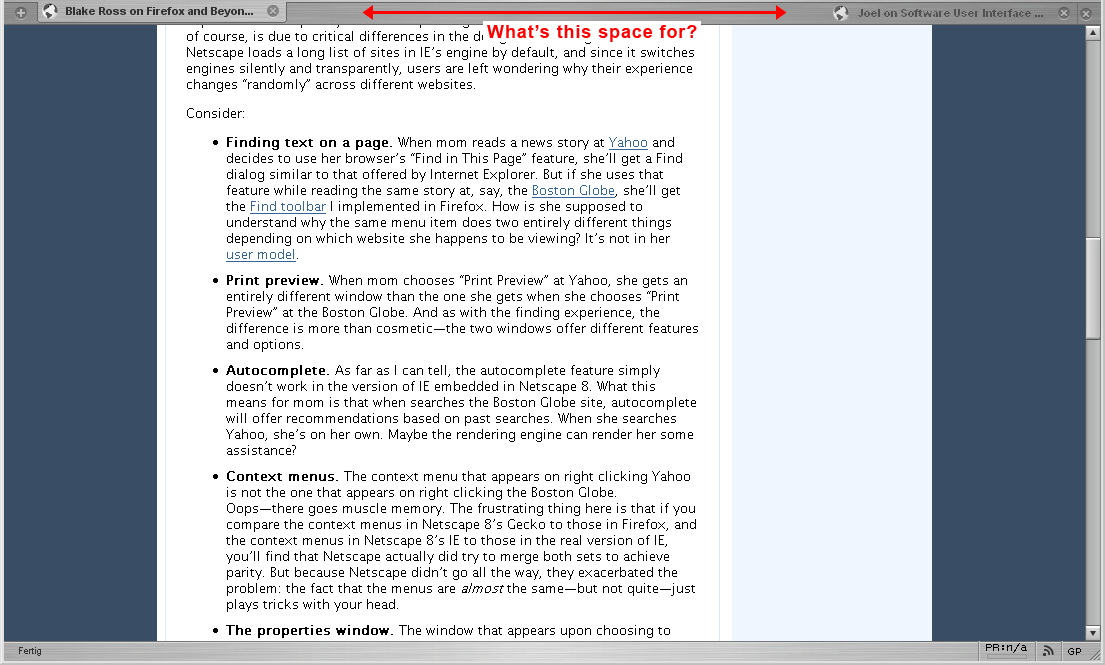
You like to have a real near-Safari-experience? Then the icons of the websites need to be on the right (Extension TabX included on screenshot. ATTENTION: Not working with TabX > 0.9.1). Include this:
			/* ..... Tabs-Content Reversed ..... */

			@import url("chrome://global/skin/theme-options/tabs-contents-reversed.css");


			@namespace url("http://www.mozilla.org/keymaster/gatekeeper/there.is.only.xul");
Throbber in Main Window Not or Partly Visible
You don't need the throbber in Main Window? Or you only want to show it up if the page is loading? Then try one of these two:
			/* ..... No Throbber ..... */

			@import url("chrome://global/skin/theme-options/throbber-not-visible.css");


			/* ..... Throbber Only if Loading ..... */

			@import url("chrome://global/skin/theme-options/throbber-partly-visible.css");


			@namespace url("http://www.mozilla.org/keymaster/gatekeeper/there.is.only.xul");
Rounded Address- and Searchbar with blue focus (since Brushed 0.9.9.6)

If you prefer blue rounded address- and searchbar, go on with this:
			/* ..... Rounded Address- and Searchbar with Blue Focus ..... */

			@import url("chrome://global/skin/theme-options/rounded-url-and-searchbar-blue.css");


			@namespace url("http://www.mozilla.org/keymaster/gatekeeper/there.is.only.xul");
Rounded Address- and Searchbar with white focus (since Brushed 0.9.9.6)

If you prefer blue rounded address- and searchbar, go on with this:
			/* ..... Rounded Address- and Searchbar with White Focus ..... */

			@import url("chrome://global/skin/theme-options/rounded-url-and-searchbar-white.css");


			@namespace url("http://www.mozilla.org/keymaster/gatekeeper/there.is.only.xul");
Borders on all kinds of Menus: (since Brushed 0.9.9.7)
This code snippet enables borders on all kinds of menus:
			/* ..... Menus with Borders ..... */

			@import url("chrome://global/skin/theme-options/menus-with-borders.css");


			@namespace url("http://www.mozilla.org/keymaster/gatekeeper/there.is.only.xul");
Fx 1.5 like Options on 1.0 (Firefox 1.0 ONLY!)

If you'd like to have the Options Window styled in the way Firefox 1.5 will be and like Safari is (categories on top), this will help:
			/* ..... Fx 1.5 like Options on 1.0 ..... */

			@import url("chrome://global/skin/theme-options/fx1.1-options.css");


			@namespace url("http://www.mozilla.org/keymaster/gatekeeper/there.is.only.xul");
Rectangular Address- and Searchbars (since Brushed 0.9.9.5): Default since Brushed 0.9.9.6

If you want to have rectangular input-bars in favor of the rounded ones, you need to include the following code into your userChrome.css:
			/* ..... Rectangular Textboxes ..... */

			@import url("chrome://global/skin/theme-options/rectangular-url-and-searchbar.css");


			@namespace url("http://www.mozilla.org/keymaster/gatekeeper/there.is.only.xul");
STRONGLY RECOMMENDED:
tabX 0.5 (According to the author, 0.5 does not work on MacOS X!)
But there are
two enhanced versions by others including one for MacOS X
Update 050612: I cannot fully recommend the usage of tabX 0.9.1 as it does not allow the hover and active states of the close-button!
RECOMMENDED:
NO SPECIAL SUPPORT NEEDED, BUT RECOMMENDED:
NO SPECIAL SUPPORT NEEDED:
NOT COMPLETELY COSTUMIZED ONES:
- ColorZilla 0.8.2-0.8.3.1
- Google Toolbar for Firefox 1.0.20051012
- googlebar 0.9.0.30-0.9.15.01 (since theme-version 0.9.9.1)
- Slim Extension List 0.1-0.3.1: As long as the theme author doesn't change the behaviour of this extension from only using styles to using an XBL-binding to get the wanted results, it's impossible to correct Brushed in order to provide full functionality of the extension!
- TabMix 0.2: It's basically working, users of versions minor to 0.2 are strongly recommended to upgrade, due to a lot of problems with older versions! Thanks to Pardal Freudenthal aka Sharebird for help on enabling support for this.
- Tab Mix Plus 0.2.5.1: like TabMix
- Tabbrowser Preferences 1.1-1.2.5: I don't know what the alignment of the tabs on the left and the right should be for??? Nevertheless this obviously popular extension is supported except the problem with the hidden options button due to the new Options Dialog layout inspired by cheeaun. Fixed in theme-version 0.9.9.2!
- Wikipedia 0.6.0.7 (since theme-version 0.9.9.5)
- Wizz RSS News Reader 1.1.3
- Zoomy 1.2-1.3 (since theme-version 0.9.9.2)
- Tabbrowser Extensions 1.13-1.14: Various problems with layout!
- CuteMenus: due to theme-specific integration of menu-icons (is coming)
This is not a complete list, but a collection of often mentioned ones.
Version 0.9.9.5
- 050616: If there is a small line on top of selected tabs, it is caused by TabMix extension. I've introduced a bug fix for multiple rows and scrollbutton tab bar options of TabMix in 0.9.9.5. But therefore you are facing the line!
You probably can get rid of it by adding:
			tabs[flowing=singlebar] > hbox, tabs[flowing=scrollbutton] > hbox,
tabs[flowing=multibar]:not([multibar]) > hbox {

			  overflow: visible !important;

			}
Be warned, the "more-than-x-tabs-function" of TabMix won't work after including this into your userChrome.css. Though you don't have a line above selected tab any longer!
- 050612: The right side of the search bar / sometimes also the urlbar is placed some pixels upper than the rest.
At the moment I don't have any ideas what causes this, as I can't reproduce the bug at my own profile. I only have seen one screenshot where it happens if the bars are in menubar instead of navigation bar, but this has not be the reason?!
Update 050714: User Stefan has pointed out, that this bug disappeared after he uninstalled Resize Search Box (version 0.0.5). In the meantime there are updates to Resize Search Box, it's current version number is 0.0.6, perhaps this solves the issue. In my profile the bug never appeared, neither with 0.0.5 nor with 0.0.6!
050610: The "Download-Dialog" on Linux uses the icons of default theme. Thanks to user Jeremy Warren! Fixed in 0.9.9.6.
Version 0.9.9.2
050509: Livemark-labels disappear after being clicked in Firefox 1.0+ (nightly's). After weeks of horror I've finally found a solution; it is caused by -moz-opacity. I cannot recommend the usage of -moz-opacity to theme authors. Fixed in 0.9.9.5.050512: Tooltips background is for two lines height only! Problems in ForecastFox extension. Update 050516: Only if tooltips are customized within the extension. Thanks to user RRick! Fixed in 0.9.9.5.
Version 0.9.9
-
050409: Progressmeter doesn't show progress in download window. Fixed in 0.9.9.1.
All versions
050228: Theme breaks in Firefox 1.0+ (nightly's). Fixed in 0.9.9.2. Works at least in Deer Park Alpha 1 + 2.- 050225: Some of the interface elements do not have fixed font settings. So if you have serif fonts in your OS settings, they will be in the theme too. I try to provide a fix for that till Brushed 1.
- 041220: The fonts used within the theme are fix-sized.
So if you expect bigger sized menu-fonts due to your operating system settings, they won't show up in the theme!
041220: 1px black border on menus of menulists. Fixed in 0.9.9041123: The Back/Forward button and the buttons with a dropdown are vertically wrong-aligned in text-&-icons-mode.
I think this has sthg. to do with the binding, but I didn't find the correct settings yet. Fixed in 0.9.9- 041005: 1px-width black border on the right on a few overflowed bookmark-item-labels on Personal Toolbar and inactive tab-labels.
The icons and artwork used within this theme are copyrighted as far as they are originally developed by e|vo. They might be used only with permission of the author.
The CSS-files are free to use with regard to their licensing. If you like to include parts of the Brushed CSS-files into your theme, please provide a line with my name in the contributors-section of the license block.
 temporær/
 News
News Version history